AI
ChatGPT gets Adobe’s photoshop powers
If you’re designing a movie poster or editing a 300-page legal document, you’ll still need the full Adobe apps.

Just a heads up, if you buy something through our links, we may get a small share of the sale. It’s one of the ways we keep the lights on here. Click here for more.
Adobe has officially plugged Photoshop Express and Acrobat straight into ChatGPT.
Yes, your chatbot is now also your photo editor, document wrangler, and creative sounding board, all without forcing you to juggle ten browser tabs.
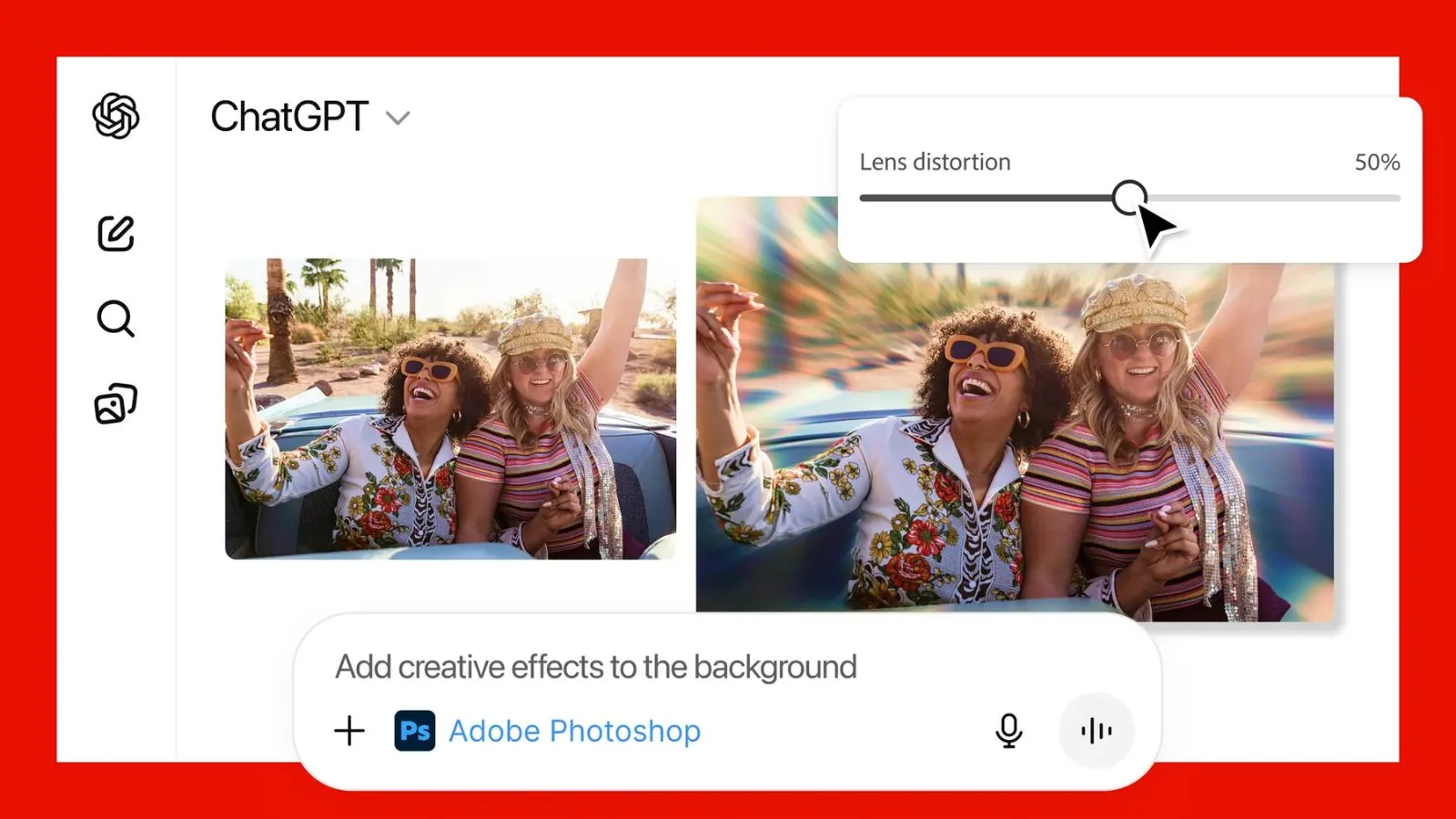
Here’s the deal: You can now crop, retouch, filter, brighten, un-brighten, and background-remove your images using Photoshop Express tools inside a chat.
Want to blur the background? Just tell ChatGPT. Want it to make you look less like you’ve slept four hours for the past three days? It can try.
And if you need to merge PDFs, redact your terrible contract typos, or sign something you swear you already signed last week, Acrobat is sitting right there in the same window.
Adobe’s mini-apps pop open the moment you upload a file and type what you want. No launchers, no clutter, no “Please update to continue.”
And the tools aren’t just automated magic tricks, you can actually adjust sliders for brightness, exposure, contrast, and other photo tweaks, all without bailing to desktop Photoshop.
Acrobat works similarly, though you’ll need to log into your Adobe account if you want to save or export files.
None of these costs extra, which means ChatGPT just became a shockingly competent all-in-one workspace.
Sure, if you’re designing a movie poster or editing a 300-page legal document, you’ll still need the full Adobe apps. This update won’t replace the pros’ toolkits, but it might save everyone else from tearing their hair out over basic edits.
The bigger shift is workflow: what used to take multiple apps, multiple steps, and usually a few muttered curses now happens inside one chat window.
You can ask for design ideas, get layout suggestions, tweak an image, then redo the tweak because you changed your mind, all in the same conversation.
ChatGPT is still an AI assistant, but now it’s starting to feel more like a digital studio that talks back.
Follow us on Flipboard, Google News, or Apple News




Review Roundups
Review roundup: Samsung Galaxy Z TriFold