ChatGPT
Experts say ChatGPT Wrapped is a privacy nightmare
To turn off the memory feature: Settings → Personalization → Manage Memories

Just a heads up, if you buy something through our links, we may get a small share of the sale. It’s one of the ways we keep the lights on here. Click here for more.
It’s that magical time of year when tech companies insist on summarizing your life back to you, whether you asked for it or not.
This week, OpenAI joined the tradition with Your Year with ChatGPT, a Spotify Wrapped–style recap that promises nostalgia, insight, and, if you squint, a mild privacy panic.
Launched Monday in English-speaking markets like the US, UK, Canada, Australia, and New Zealand, the feature is a slideshow tour of your year with ChatGPT.
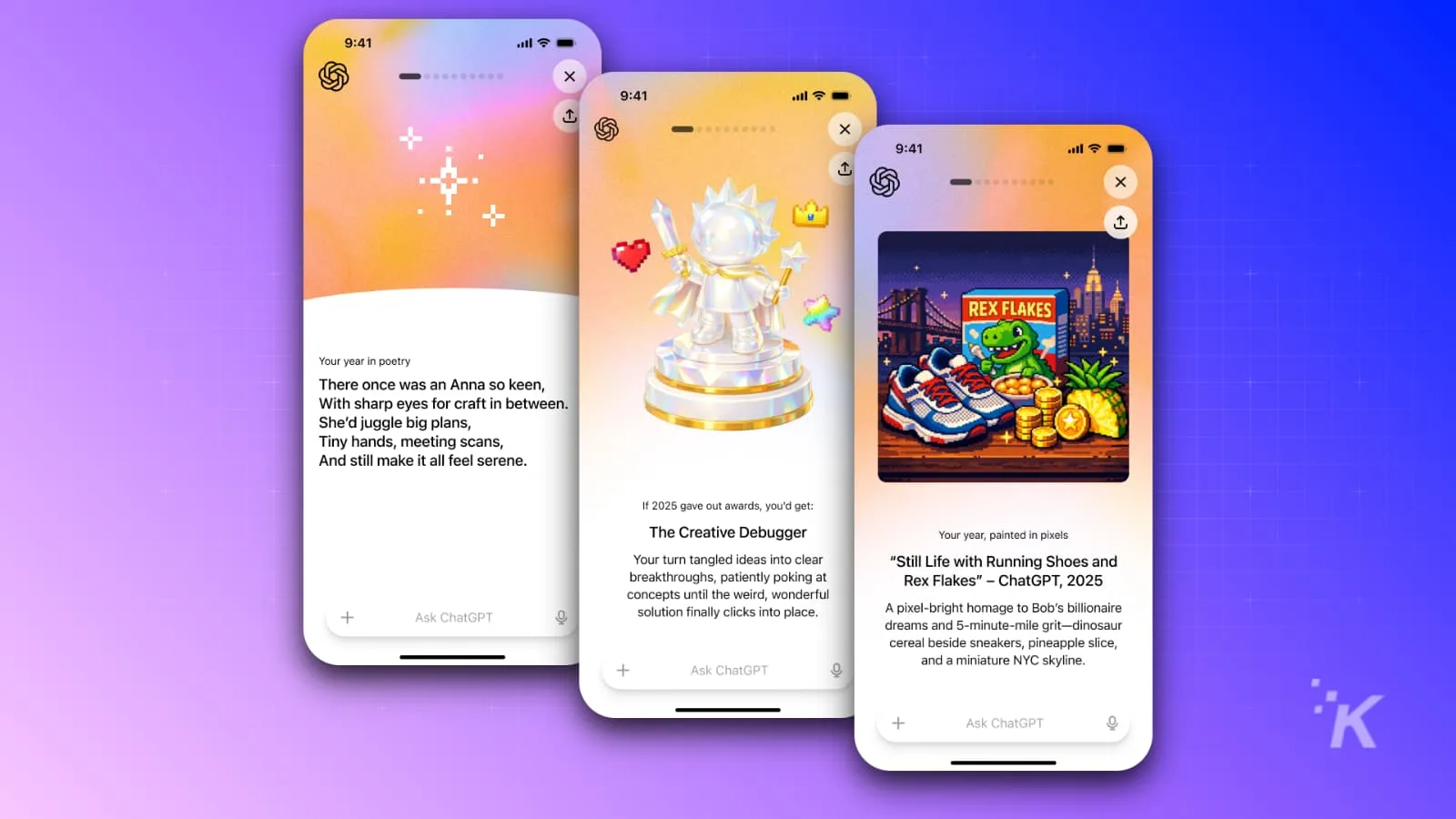
It opens poetically, literally: a custom AI-generated poem meant to capture the “vibe” of your year, based on your chats.
Whether that vibe is “productive professional” or “person who asks too many oddly specific questions at 2 AM” is between you and the algorithm.
From there, the stats roll in.
You’ll see how many chats you had, your most talkative day, and, because OpenAI knows how to wink at the camera, how many em-dashes you and the bot exchanged.
(Apparently, that’s easier to count than hallucinations.)
Then it gets more personal.
ChatGPT hands out a personalized “award,” assigns you an archetype, generates a portrait of your general vibe, and analyzes your conversational style, complete with examples pulled directly from your past messages.
It’s less “fond scrapbook” and more “AI therapist who keeps receipts.”
The feature follows a viral trend where users were already asking ChatGPT to recap their year.
But the official version does something the DIY prompts didn’t: it quietly reminds you that all of this works only if ChatGPT has been remembering you all along. (Via: Gizmodo)
To see Your Year with ChatGPT, users must have “reference saved memories” and “reference chat history” turned on, settings that are enabled by default for free, Plus, and Pro users.
Translation: the chatbot has been keeping notes.
Turning that off requires digging into Settings → Personalization → Manage Memories, where you can toggle memory features or delete specific saved info, like an AI-era “clear browser history” button.
There’s more. If you also have “Improve the model for everyone” turned on, also default, your chats and memories may be used to train OpenAI’s models.
Business, Enterprise, and Edu users are excluded, but everyone else might want to take a long, careful look at Data Controls.
So enjoy the poem. Laugh at the em-dash count. Just remember: this year-in-review didn’t come from nowhere. It came from everything you already told the robot.
Follow us on Flipboard, Google News, or Apple News